COURSE DESCRIPTION
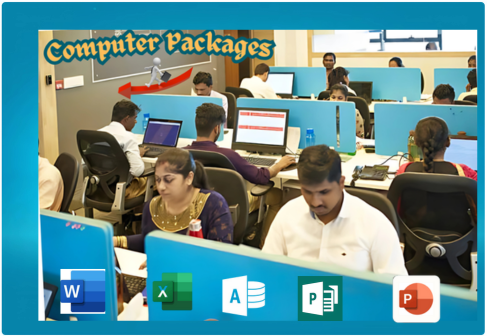
In today’s digital world, computer skills are a must-have! Whether you’re a beginner or looking to refine your knowledge, this Computer Packages Course will equip you with essential IT skills in just a few weeks. From Microsoft Office to internet navigation and typing skills, you’ll gain hands-on experience that will make daily computer tasks effortless. By the end of the course, you’ll confidently handle documents, spreadsheets, presentations, and even emails—giving you an edge in the job market. Plus, you’ll earn a recognized Certificate to showcase your new skills! Each module is designed with practical application in mind, ensuring you can apply what you learn in any workplace or personal project.
COURSE OVERVIEW
✅ Introduction to Computers & Windows – Learn the basics of computer operation, file management, and navigating the Windows operating system.
✅ Microsoft Word – Master document creation, formatting, tables, and editing tools to produce professional documents.
✅ Microsoft Excel – Understand spreadsheets, data entry, formulas, functions, and basic data analysis.
✅ Microsoft Access – Learn how to create, manage, and query databases for efficient data storage and retrieval.
✅ Microsoft PowerPoint – Design engaging presentations with animations, transitions, and multimedia elements.
✅ Microsoft Publisher – Create professional brochures, posters, business cards, and other print materials with ease.
✅ Internet & Email – Navigate the web safely, conduct research, and use email professionally, including attachments and email etiquette.
Each module is designed to give practical hands-on experience, ensuring you can confidently apply your skills in workplace and personal projects.
LEARNING OUTCOMES
By the end of this course, you will be able to:
✔️ Use a computer confidently, from startup to troubleshooting basic issues.
✔️ Create and format documents using Microsoft Word.
✔️ Analyze data in Excel using formulas and simple functions.
✔️ Design professional presentations using PowerPoint.
✔️ Type faster and accurately, improving productivity.
✔️ Send and manage emails like a professional.
✔️ Navigate the internet safely and perform research efficiently.
✔️ Handle printing, scanning, and file management with ease.
Ready to become computer-savvy? Let’s get started! 💻✨
Course Features
- Lectures 48
- Quiz 0
- Duration 12 weeks
- Skill level All levels
- Language English
- Students 106218
- Certificate Yes
- Assessments Yes
- 8 Sections
- 48 Lessons
- 12 Weeks
- MICROSOFT POWERPOINT (PRESENTATION SKILLS)8
- 1.1Introduction & Overview of Microsoft PowerPoint
- 1.2PowerPoint Fundamentals: Interface, Slides Layouts & View Options
- 1.3Themes, Designer Tool & Text Formatting in Ms Powerpoint
- 1.4Objects, Text Boxes & Shapes Formatting in Ms PowerPoint
- 1.5Eye Dropper Tool, Inserting & Editing Pictures in Ms Powerpoint
- 1.6Grouping Objects, & Animations in Ms Powerpoint
- 1.7Importing, Inserting, Modifying & Formatting Tables in Ms Powerpoint
- 1.8Chats in PowerPoint, Printing & Conclusion of the Module
- INTRODUCTION TO COMPUTERS4
- MICROSOFT WINDOWS (OPERATING SYSTEM)5
- MICROSOFT WORD (WORD PROCESSING SKILLS)7
- 4.1Introduction & Overview of Microsoft Word
- 4.2Exploring Microsoft Word Interface
- 4.3Ruler, Zoom & Spelling Checker in Microsoft Word
- 4.4Templates, Screen Tips, Contexual Menus & Ribbons in Ms Word
- 4.5Document Navigation & Finding Tools in Ms Word
- 4.6Using Immersive Reader, Focus, Dark Mode & Changing Document views
- 4.7Advanced Text Formatting in Microsoft Word
- MICROSOFT EXCEL (SPREADSHEETS)5
- 5.1Ms Excel Fundamentals: Introduction, The Start Screen & Using Templates
- 5.2Exploring the Interface, WorkSpace: Fonts, Borders & Print Preview in Ms Excel
- 5.3Formulas, Functions & Referencing: Lookup, Logical, Text, Mathematical, and Date Functions
- 5.4Advanced Data Analysis Tools in Excel: What-If Analysis and Pivot Tables
- 5.5Data Visualization in Ms Excel: Inserting, Modifying, and Advanced Charts Techniques
- MICROSOFT PUBLISHER8
- 6.1The StartScreen, Templates, View Options & Place holder Text in Ms Publisher
- 6.2TextBox Tools (Autofit), Flowing Text, Numbering & Bullets in Ms Publisher
- 6.3Spelling, AutoCorrect & Translation in Ms Publisher
- 6.4Using Scratch Area, Inserting Shapes & Swapping Images in Ms Publisher
- 6.5Enhancing Images Appearance & Background Pictures in Ms Publisher
- 6.6Headers, Footers & Saving Your Design as a Template in Ms Publisher
- 6.7Design Checker & Mail Merge in Ms Publisher
- 6.8Saving Publication in Sharable Format & Conclusion of the Module
- MICROSOFT ACCESS (DATABASES)6
- 7.1Introduction to Databases, Templates & Data Entry in Task Management Database
- 7.2Microsoft Access Interface, Objects & Adding Data to Tables
- 7.3Running Reports, Understanding Data Types & New Tables Creation in Ms Access
- 7.4Importing Data from Excel, Table Relationships & Data Entry Forms in Ms Access
- 7.5Editing Forms, Queries & Creating Reports in Ms Access
- 7.6Editing Reports in the Layout View, Start-up Options & Buttons in Ms Access
- INTERNET AND MAIL5
- 8.1Understanding the Internet, World Wide Web & Websites
- 8.2Internet Services, Internet Service Providers (ISPs), Internet Security & Safety Practices
- 8.3Using Web Browsers: Navigating Hyperlinks, Search Engines, and URLs
- 8.4Introduction to Email
- 8.5Email Management: Deleting, Spam, Archive, Labels, Filters & Managing Multiple Emails